


Smoothing
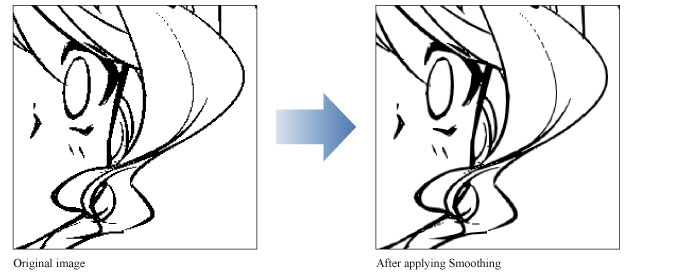
This filter applies an anti-aliasing effect to the selected layer. Anti-aliasing smooths outlines by adding intermediate colors at the boundaries between colors and at the edges of images.
Select the layer to process and select the [Filter] menu > [Effect] > [Blur] > [Smoothing]. The anti-aliasing effect will be applied to the layer to make jagged lines less noticeable.
|
Applicable layers |
Raster layer (gray) Raster layer (color) |
|
|
If you create a selection area, the color correction will only be applied to the selection area. |