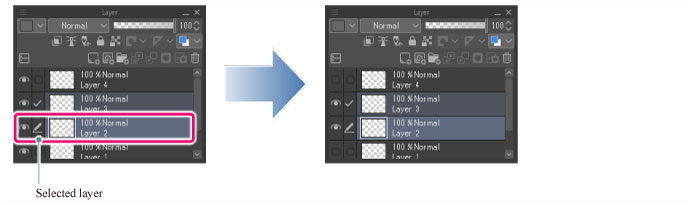
Show/hide layer Toggle Menu
Right clicking [Show/hide layer] on the [Layer] palette displays a menu that toggles the layer visibility. The following describes the function of each menu item.
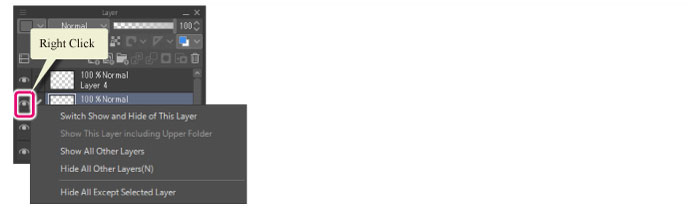
Switch show and hide of this layer
Toggles the visibility of the currently edited layer.

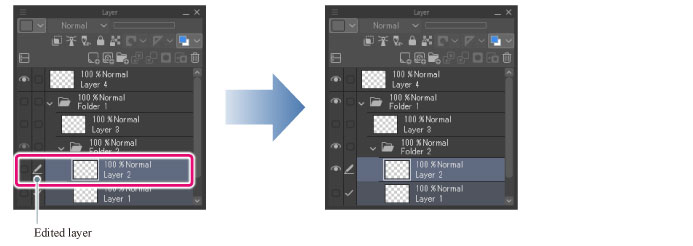
Show this layer including upper folder
Makes visible the layer folder and the currently edited layer within the folder.
|
|
·This menu item is available only when the currently edited layer is selected from inside a layer folder. ·All upper layer folders become visible. |
Show all other layers
Makes visible all layers except the one being edited. The visibility of the layer being edited does not change.
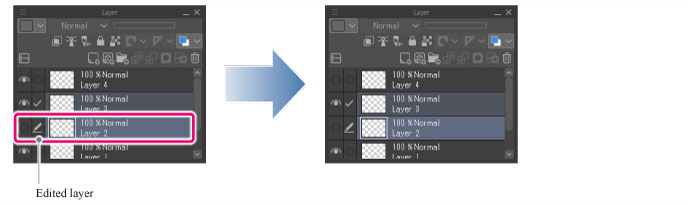
Hide all other layers
Hides all layers except the one being edited. The visibility of the layer being edited does not change.
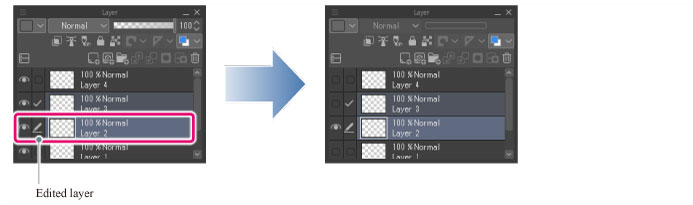
Hide all except selected layer
Hides all layers except the selected one. The visibility of the selected layer does not change.