


Image Sequence
Export the frames of your finished moving illustration as a series of image files. The exported files are named with serial numbers in the order in which the frames appear in the moving illustration.
Image sequence files can be converted to a movie file or animated GIF by importing them into other software or uploading them to various web services.
This section explains how to export your finished work as an image sequence.
1Select the [File] menu→[Export animation]→[Image sequence].
2The [Image sequence export settings] dialog box is displayed. Check the settings and click [OK].
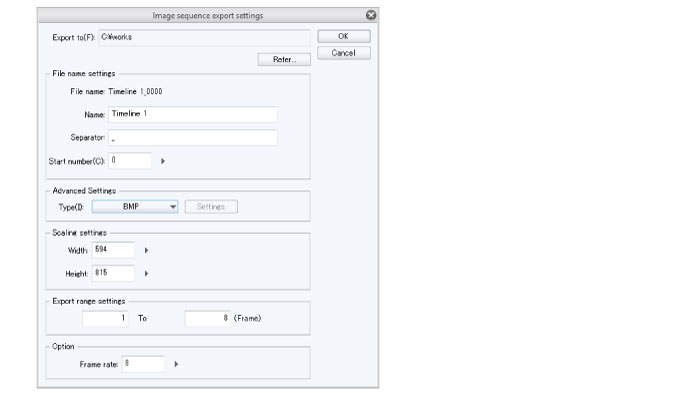
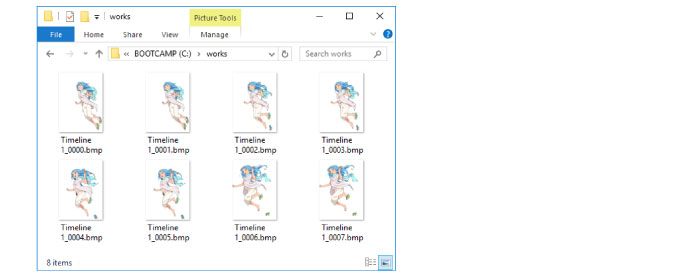
An image sequence is created in the folder specified for [Export to] in the [Image sequence export settings] dialog.
When using an iPad, the [File operation/Share] dialog box will be displayed, and the created image sequence can be checked.
By clicking [Share] in the [File operation/Share] dialog box, you can open image sequence files in other environments.Note that you can not open image sequences displayed in the [File operation/Share] dialog box with CLIP STUDIO PAINT.