


Unsharp mask
This filter sharpens images by enhancing the contrast at the border between colors.
1On the [Layer] palette, select a layer.
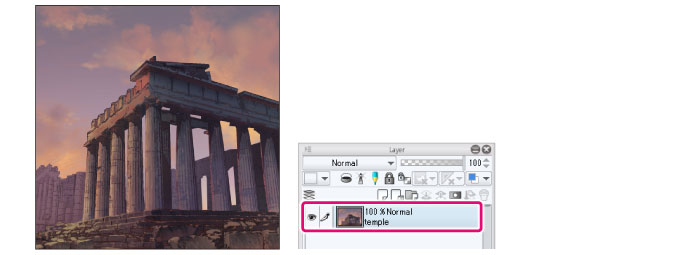
|
|
If you create a selection area, the filter will only be applied to the selection area. |
2Select the [Filter] menu > [Sharpen] > [Unsharp mask].
3Set the [Unsharp mask] dialog box.
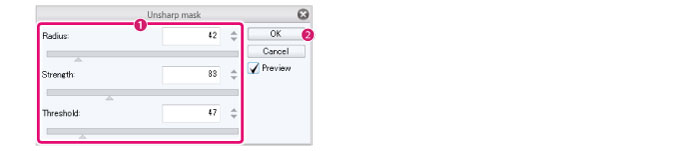
(1) Set the strength of the effect, threshold value, and so on.
(2) Click [OK].
4The filter will be applied to increase the contrast on the selected layer at borders between colors.
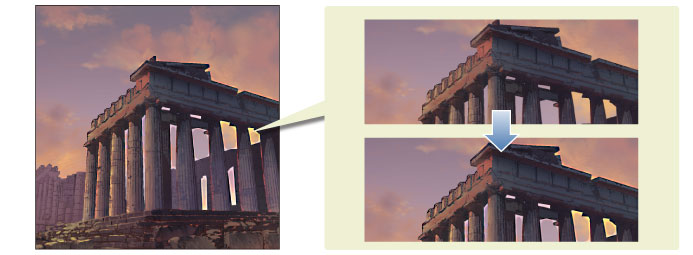
[Unsharp mask] Dialog Box
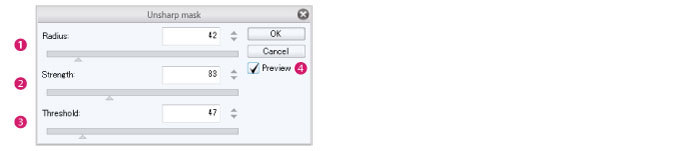
(1) Radius
Set the size of the effect.
(2) Strength
Set the strength of the effect.
(3) Threshold
Set a minimum level of difference in values between adjacent areas to be recognized as different colors.
A higher value detects fewer borders between colors.
(4) Preview
Turn this on to preview the results on the canvas.