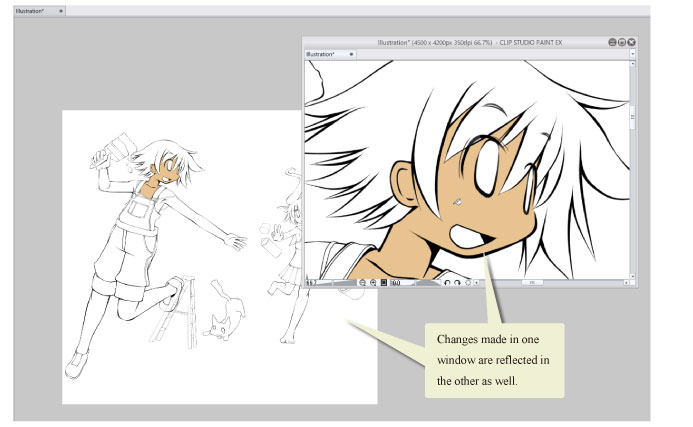
New Window
Select the [Window] menu > [Canvas] > [New Window] to open a duplicate of your current canvas.
The duplicated window can be displayed and zoomed in or out separately. This is useful when you want to zoom into a portion of the image while viewing the canvas as a whole. Since the data on both canvases are the same, any changes made in one window will appear on both windows.
|
|
For information on how to display your canvas in separate windows, see "Displaying a Canvas Individually [Windows/macOS]". |