


Adjusting either side of the animation curve separately.
If [Unpair handles] in the Timeline palette is turned on, the left and right control points at the end of either side of the tangent can be operated separately.
1Select a keyframe
Adjust the curve of the selected keyframe.
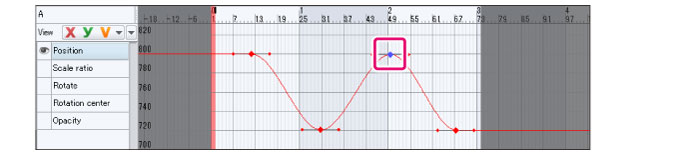
2Switching settings
Click [Unpair handles] from the Timeline palette.

|
|
If you select [Unpair handles] from [Animation] menu > [Animation curve], the settings will also change. |
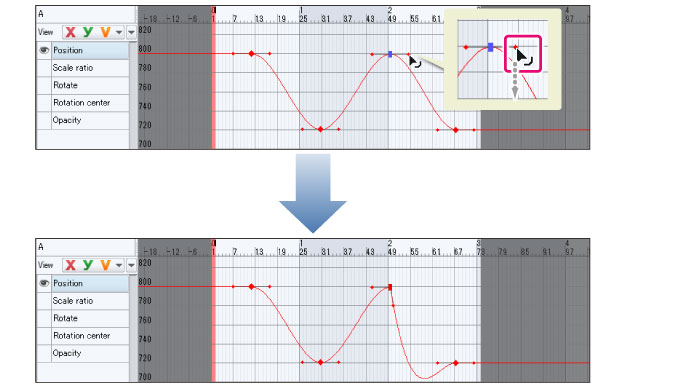
3Adjusting the curve of the line
The keyframe shape will turn into a rectangle.
While adjusting the curve with the tangents, the left and right control points can be operated separately.
|
|
Clicking [Unpair handles] again makes the left and right control points act in tandem again. |