


Importing a Registered 3D Drawing Figure
Import body shape materials onto a 3D drawing figure registered on the canvas.
Drag and drop the registered body shape material from the [Material] onto the canvas. The registered body shape will be loaded onto the 3D drawing figure on the canvas.
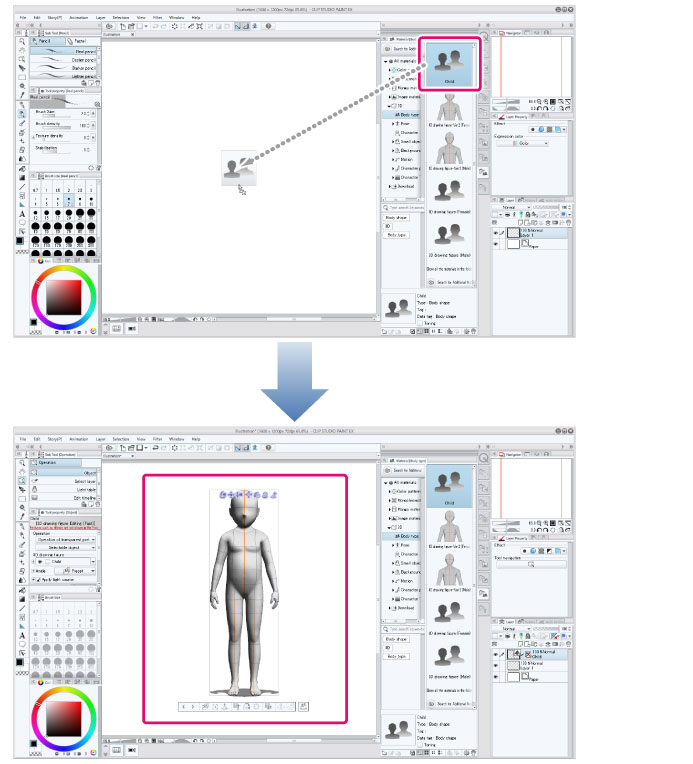
|
|
·To change the body shape of a 3D drawing figure that has been placed on the canvas, drag and drop a body shape material onto the drawing figure. ·In Clip Studio Paint Ver. 1.7.3 and earlier, files containing 3D drawing figure Ver. 2 will open as read-only files. ·When using a Smartphone, select the grip on the material thumbnail and drag and drop it to the canvas. |