


Connect QUMARION
To connect QUMARION to a computer, proceed as follows.
|
|
If Clip Studio Paint is running, be sure to quit before connecting QUMARION. |
1Connect QUMARION
Connect QUMARION to your computer using the supplied USB cable.
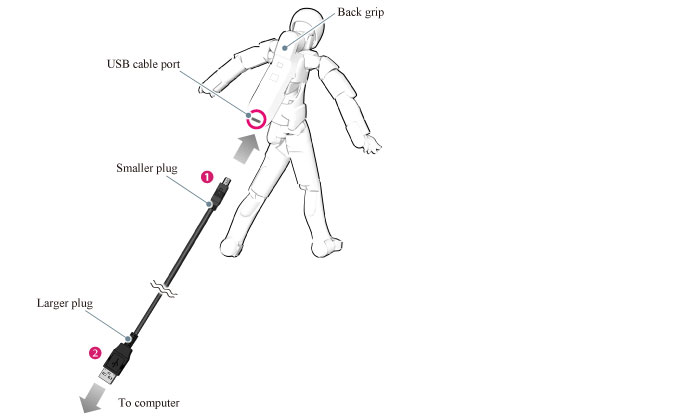
(1) The USB cable connection port on QUMARION side is located in the lower part of the grip on the back. Connect the smaller plug of the supplied USB cable to QUMARION.
(2) Connect the larger plug of the supplied USB cable to a USB port on your computer.
|
|
·The driver may install automatically when QUMARION is connected for the first time. Install the driver by following the on-screen instructions. ·When connected through a USB hub, QUMARION may not work correctly. Therefore, direct connection to a USB port on your computer is recommended. ·The shape of the USB cable connection port on QUMARION is narrow. You may not be able to connect properly using a commercially available USB cable. ·When connecting, be careful about the connector orientation. Inserting an inverted connector forcefully may damage QUMARION and/or your computer. |
2Start the application
Start Clip Studio Paint.