


Flip Horizontal
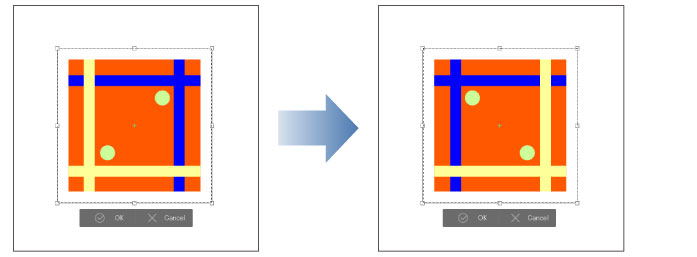
Selecting [Edit] menu > [Transform] > [Flip Horizontal] flips the image around the center point (+). Clicking [OK] from the transform launcher under the guide lines confirms the transformation.
|
|
·Dragging the center move the position of the center. Also, hold down Alt while clicking the canvas to move the center point to wherever you click. ·Allows the layer to be horizontally reversed before confirming [Flip Horizontal]. For details on how to use Transform, see "Using handles and palettes to transform". ·You can also use the [Tool Property] Palette to Transform. For details on the [Tool Property] palette settings, please see the following "Tool property palette settings". ·Fill in monochrome layers and Tonal Correction layers do no support [Flip Horizontal]. |