Registering the Pose of a 3D Character or 3D Drawing Figure [PRO/EX]
The pose created for a 3D character or 3D drawing figure can be registered to the Material palette. Besides the body pose, left/right hand poses can be registered as well. A registered pose can be applied to another 3D material or canvas.
|
|
Ver.1.5 compatible 3D layers cannot register hand poses to the Material palette. |
Registering body poses
1Select the tool
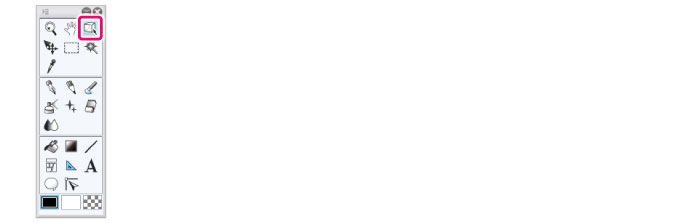
On the Tool palette, select the [Operation] tool.
2Select the sub tool
Open the Sub Tool palette and select [Object].
3Select the 3D material
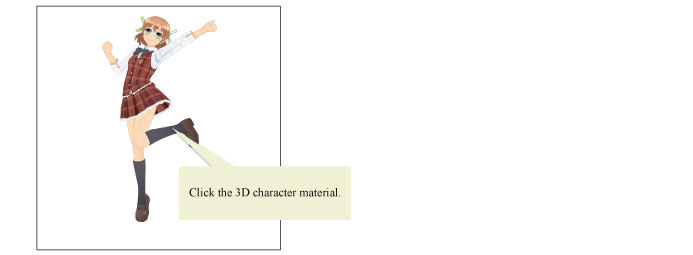
Click the 3D character material or 3D drawing figure whose pose is to be registered.
4Register the pose
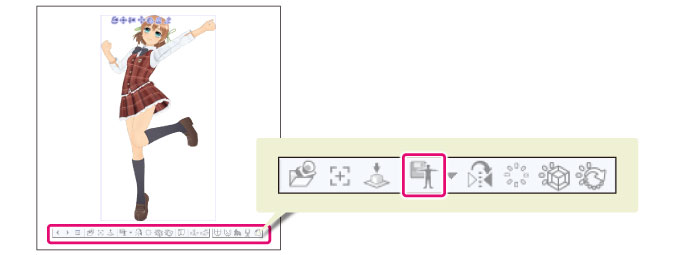
Click [Register pose] on the [Object launcher].
If using the Smartphone version, you can register the pose from the [Pose] category of the Sub Tool Detail palette. Under [Register material], press [Register full body pose as material].
5Configure the material
The [Material property] dialog box will open. Configure the settings for the material on the dialog box.

(1) Configure the name, content, save destination and search tag for materials.
(2) Click [OK].
|
|
For details on the [Material property] dialog box, see "Material property Dialog Box [PRO/EX]". |
6The registration of the pose is complete
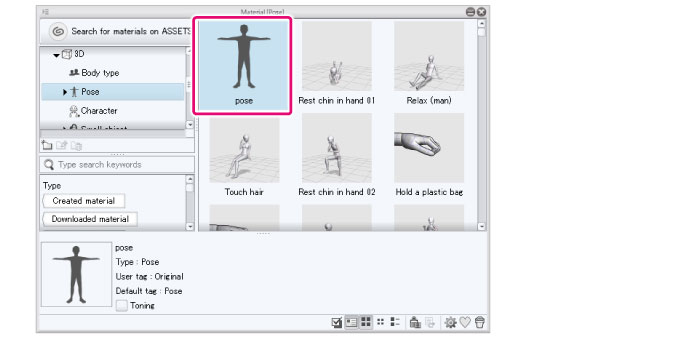
The dialog box closes and the pose is registered in the Material palette.
|
|
For how to import a registered pose, see "Select the pose". |
Registering hand poses
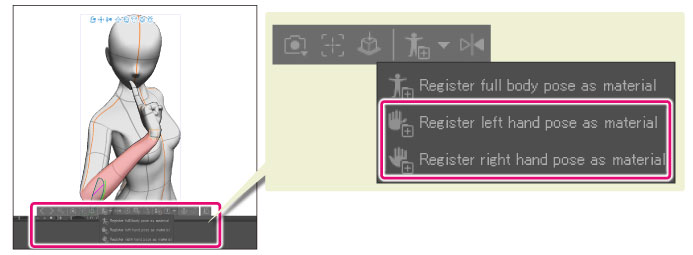
To register hand poses, click the dropdown icon beside [Register full body pose as material] icon in the [Object Launcher], then select [Register left hand pose as material] or [Register right hand pose as material]. Registered hand poses can be applied to both right and left hands. For example, right hand poses can be applied to left hands as well.
|
|
If using the Smartphone version, you can register the pose from the [Pose] category of the Sub Tool Detail palette. Under [Register material], press [Register right hand pose as material] or [Register left hand pose as material]. |