


Drawing and Adjusting the Fine Details
Create a new layer and draw the fine details, checking the overall balance.
Drawing the Fine Details
1Select the "White 2" layer and change the [Expression color] to [Color] on the [Layer Property] palette.
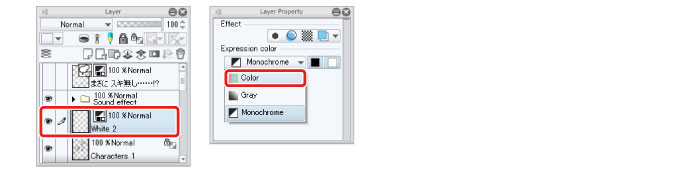
Changing the expression color in [Layer Property] allows you to add colors other than white.
2Add white areas and the highlights of the hair and eyes using tools such as the [Watercolor] tool and the [Pen] tool.
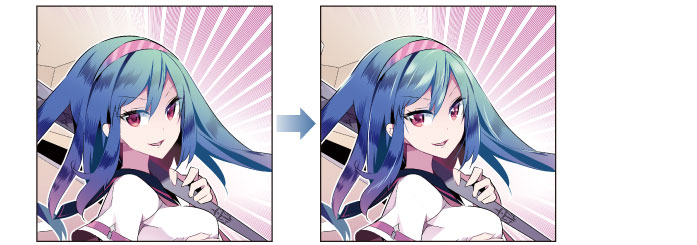
3Draw the fine details, checking the overall balance.
