


ZigZag
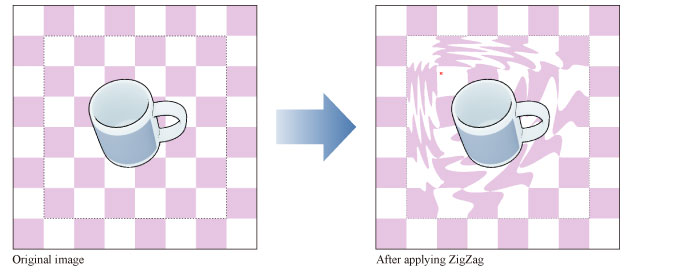
Select the layer you want to apply a filter to, then select the [Filter] menu > [Distort] > [ZigZag] to open the dialog box. A that transforms images by creating a zigzag wave pattern.
|
Applicable layers |
Raster layer (color) Raster layer (gray) Raster layer (monochrome) |
|
|
·To learn how to apply a [Distort] effect to a layer, see "Using the Distort Filters". ·If you create a selection area, the effect will only be applied to the selection area. You cannot change the size of the effect after applying the filter. ·For information on the settings in the [ZigZag] dialog box, please see the following section. |
[ZigZag] Dialog Box
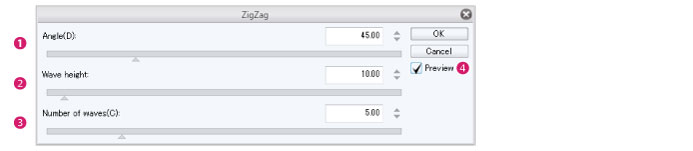
(1) Angle
Specify the angle of the waves.
(2) Wave height
Specify the amplitude of the waves.
(3) Number of waves
Specify the number of waves.
(4) Preview
Turn this on to preview the results on the canvas.