


Moving 3D Object Materials
Move the position of a 3D object material up, down, left, right, forward or back.
1Selecting 3D Object Materials
Select the 3D object material to move.
|
|
For information on how to select 3D object materials, see "Select the 3D material". |
2Moving 3D Object Materials
A root manipulator is displayed for 3D object materials. Drag the arrows of the root manipulator with the mouse cursor to move the item in the dragged direction.
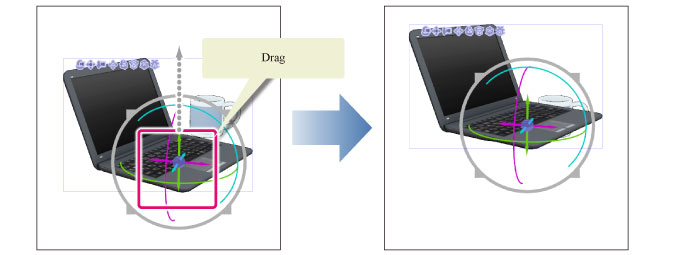
|
|
·3D objects compatible with Version 1.5 can be moved by dragging the material with the [Object] tool. ·You can also move 3D object materials by dragging the controller at the center of the root manipulator. ·For details on the Root manipulator, see "Using the Root Manipulator". ·If the 3D object material has multiple parts, operating the manipulator may only move a specific part. This issue can be solved by clicking an area of the canvas with no items and then selecting the 3D object material again. ·You can also move 3D objects by using the movement manipulator. For details on the movement manipulator, see "Functions of the Movement Manipulator". |